Migration: WordPress
WordPress to Webflow migration: what to plan before you start
Webflow has no plugins and handles URLs differently. The move works well when you list what each plugin does today and decide how it will be replaced.
3 min read · By the Liftup team in Pune




350+businesses served
8countries
7+years















In short
Moving from WordPress to Webflow means rebuilding your theme as a Webflow design, mapping posts and custom content to CMS collections, replacing each plugin with a native feature or outside tool, and redirecting old URLs. It suits marketing sites edited by designers. It is a poor fit for large shops, memberships or heavy custom logic.
Rather have it done for you? See our WordPress development service, from $1,500.
On this page 6 sections
Start with a plugin audit
On WordPress, plugins do a lot of quiet work: SEO fields, forms, redirects, caching, search, translation. Webflow has no plugin directory in the same sense, so each job needs a new home. We list every active plugin and decide what happens to it.
| WordPress job | Typical plugin | On Webflow |
|---|---|---|
| Titles, descriptions, social tags | An SEO plugin | Built-in fields per page and CMS template |
| Contact and quote forms | A form plugin | Native forms, with email or an outside form tool |
| 301 redirects | A redirect plugin | Built-in redirect manager |
| Caching and image speed | Cache and image plugins | Handled by the platform; images need good source files |
| Search on the site | Search plugin | Basic site search, or an outside search service |
| Structured data | Schema plugin | Custom code in page or template settings |
| Member login or paywall | Membership plugin | Not native; needs a third-party tool or another stack |
| Online shop | WooCommerce | Webflow Ecommerce for small catalogs, or move to Shopify |
URLs, trailing slashes and redirects
This is the part that decides whether your rankings survive. WordPress commonly ends addresses with a slash and can place posts at the root, under a date, or under a category. Webflow addresses do not end with a slash, and CMS items sit under a collection folder such as /blog/.
| WordPress address | Webflow address | Action |
|---|---|---|
| /services/seo-audit/ | /services/seo-audit | Same path, no trailing slash; redirect the slash version |
| /2024/05/choosing-a-crm/ | /blog/choosing-a-crm | Redirect each dated post to its new address |
| /category/news/ | /blog-category/news | Rebuild as a filtered list or retire with a redirect |
| /?p=482 | /blog/choosing-a-crm | Old numeric links still exist in the wild; map the ones that matter |
We build the redirect list from a crawl plus your Search Console data, load it into Webflow, and test every line before and after the switch. Canonical tags should use the same style as your sitemap.
Related: Webflow builds for American teams.
Free · no obligation
Get a free SEO and AI visibility check of your site
We look at how Google and AI tools like ChatGPT see your site and send you the top fixes, within one working day.
Request received
Thanks. Your free check is in the queue.
We will send the top fixes on WhatsApp or email within one working day.
CMS limits to check first
Webflow's CMS is clean, but it has ceilings on items, fields, collection lists per page and how references nest. Check the current numbers on Webflow's plan pages before you commit. If your WordPress site has thousands of posts, products with many attributes, or deep custom taxonomies, we run a data audit first and may recommend Webflow Enterprise or a different platform. The comparison in Webflow vs WordPress shows where each wins.
For the next step, see what a 302 redirect does.
What we have done that relates
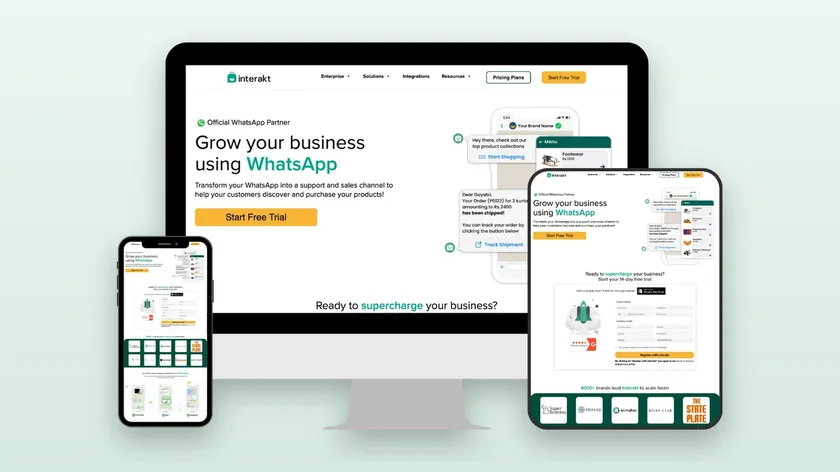
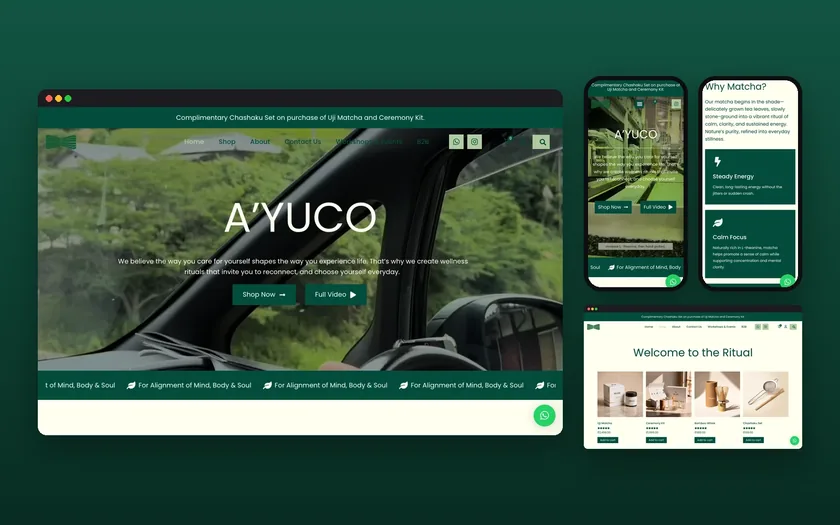
We have not published a WordPress to Webflow migration on our work page, so we name none. Related WordPress work is real: A'YUCO is a WordPress store, and Interakt had landing pages built on WordPress in two weeks. That experience helps us read an existing WordPress build quickly and judge what is worth carrying across. For the Webflow side, see our Webflow development service.
Related: our website development service.
Gotchas
- Rich text clean-up. Imported posts carry old shortcodes and page builder markup. We clean the HTML before import or posts break.
- Images. Webflow performs well only with compressed, correctly sized images. We rename files and rewrite alt text during import.
- Authors and categories. Authors become a collection, and categories become either a reference field or a filter. Decide before import.
- Comments. WordPress comments do not carry over. If they matter, choose an outside comment tool or archive them.
- Hosting lock-in. Webflow hosts the site. You can export code, but dynamic features will not run elsewhere. Make this a conscious choice.
- Editors' habits. People who like the WordPress editor need a short training session. A style guide stops layouts drifting.
Timeline
For a marketing site of 20 to 60 pages and up to a few hundred posts, expect 6 to 10 weeks.
- Weeks 1 to 2: auditCrawl, plugin list, content types, Search Console export, redirect draft, decision on what to drop.
- Weeks 2 to 5: design and buildDesign system, templates, CMS collections, forms, interactions, custom code for schema.
- Weeks 5 to 7: contentClean and import posts, check images and links, add titles and descriptions.
- Weeks 7 to 9: testRedirect test, speed and accessibility checks, form delivery test, staging crawl.
- Weeks 9 to 10: launchLower DNS TTL, switch, resubmit sitemap, monitor errors. Keep WordPress available as a fallback for two weeks.
You get a fixed quote after a short call: request a proposal.
Updated 20 November 2026
Questions, answered
Something else on your mind? Ask us directly or WhatsApp us. We reply within one working day.
Is Webflow better than WordPress?
Will I lose SEO when I move?
Can my blog move to Webflow?
What about my WooCommerce shop?
Do I keep access to the old site?
Keep exploring
Webflow vs WordPress: which to choose in 2026
Webflow lets a designer build visually and ship without a developer. WordPress lets anyone extend almost anything. Each is the wrong tool for the…
ServiceWebflow agency for marketing sites your team can edit
Webflow lets designers ship a precise site without a developer in every edit. It also has real limits, and we tell you where they are before you…
ChecklistWebsite migration checklist: move platforms without losing traffic
A migration goes wrong when old URLs vanish without a redirect. This list starts with the inventory and the redirect map, then covers staging, launch…
See your new homepage before you commit.
A free, private homepage concept built from your own words and photos within 48 hours.