Shopify SEO checklist
Shopify SEO checklist
Shopify handles a lot of SEO for you and quietly creates a few problems of its own. This list starts with what the platform does by default, then walks through what to fix.
3 min read · By the Liftup team in Pune



350+businesses served
8countries
7+years















In short
Shopify SEO starts with how the platform behaves: it creates several URLs per product, generates a sitemap and robots file for you, and ships themes and apps that add code. The main jobs are writing unique collection and product content, keeping canonicals clean, controlling filter and variant URLs, and watching app weight.
Rather have it done for you? See our Shopify development service, from $1,500.
On this page 5 sections
What Shopify does by default
| Default behavior | Why it matters | What to do |
|---|---|---|
| Products are reachable at a product URL and also under each collection path | Duplicate paths for one product | Check that the canonical points to the clean product URL; link internally to that version |
| A sitemap is generated automatically | Good, but you cannot hand-edit it | Submit it in Search Console and check which sections are included |
| A robots file is generated, and a template lets you edit it | Filter and search pages may be crawlable | Add rules only if you see crawl waste in the data |
| Variants use a query string on the product URL | Variant URLs are not meant to be indexed separately | Confirm the canonical ignores the variant parameter |
| Changing a handle can create a redirect | Old URLs break if the box is unticked | Leave the redirect option on |
| Blog and pages sit at fixed path prefixes | URL structure is partly fixed | Plan the information architecture around it, not against it |
| Themes output title tags from product and collection fields | Weak titles repeat across the store | Edit the SEO fields, not just the page title |
Collections and products
- Write a short intro for each main collection, above the product grid. Our note: 80 to 150 words that help a shopper choose is plenty.
- Add a longer buying guide below the grid only where shoppers ask questions. Our note: avoid walls of text on every collection.
- Give every product its own description, not the supplier copy. Our note: copied copy is the most common reason product pages struggle.
- Write titles that name the product and its main attribute. Our note: customers search for what the item is, then the brand.
- Use descriptive file names and alt text on product images. Our note: describe the image for someone who cannot see it.
- Keep out-of-stock products live with a clear message and related items. Our note: deleting them throws away links and search history.
- Retire discontinued products with a redirect to the closest replacement or collection. Our note: redirect to something relevant, not the home page.
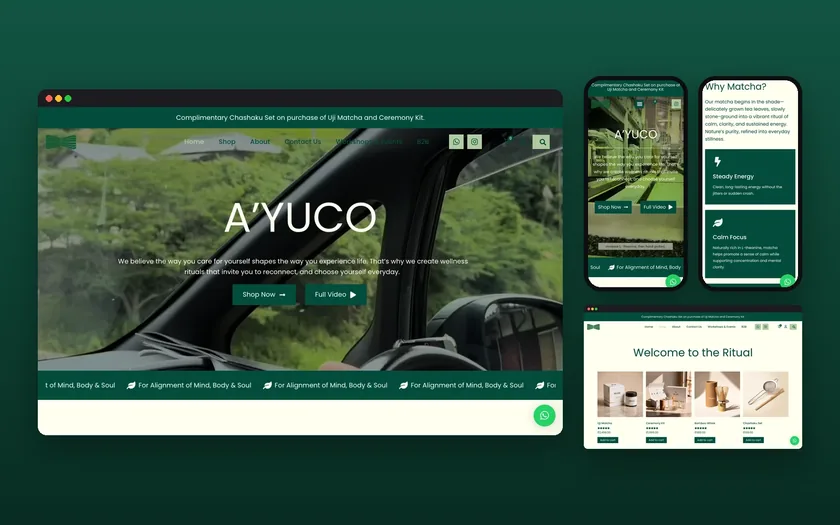
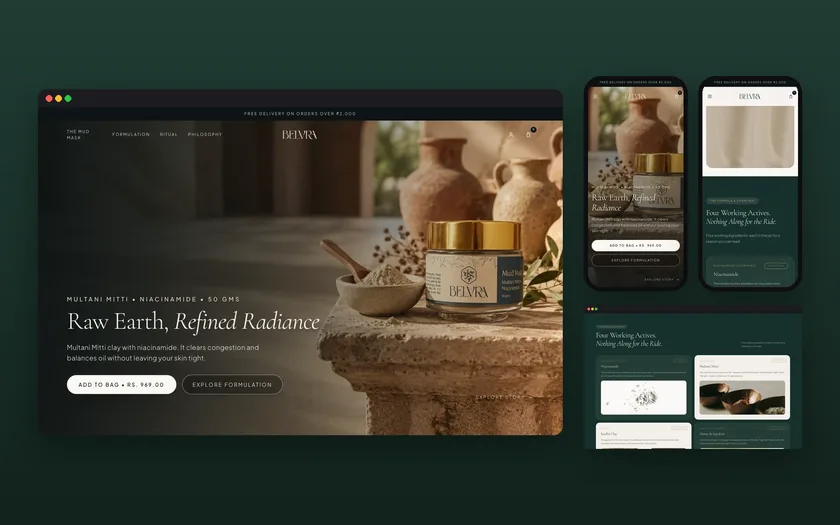
A one-product store, like the Belvra launch we built on Shopify, flips the priorities. There is no catalogue to optimize, so the product page, ingredient and how-to-use content carry everything.
Rather have it done for you?Talk to a person now, or ask for a fixed quote. We reply within one working day.
Filters, tags and parameters
Faceted navigation is where stores create thousands of near-duplicate URLs. Decide which filter combinations deserve a page.
- Let a few high-demand combinations stand as real collections, such as a material plus a product type. Our note: search demand decides, not what is possible.
- Keep the rest of the filter URLs out of the index with canonical tags or robots rules. Our note: test on a small set first.
- Avoid tag pages as a type of filter. Our note: tags that exist only to be pages become thin content.
- Check pagination in Search Console. Our note: make sure products on page two and beyond are still reachable by crawlers.
Themes, apps and speed
- Audit installed apps and remove the ones you do not use. Our note: some leave scripts behind after uninstalling.
- Test the store on a mid-range phone with a normal connection. Our note: this reflects what customers see.
- Check for duplicate Product schema from the theme plus an app. Our note: inspect the final page source; see the schema markup checklist.
- Compress and size images at upload. Our note: a hero image is often the largest item on the page.
- Limit font files and third-party widgets. Our note: chat, reviews and pop-ups all add to load time.
- Run the Core Web Vitals checklist on the home page, a collection and a product.
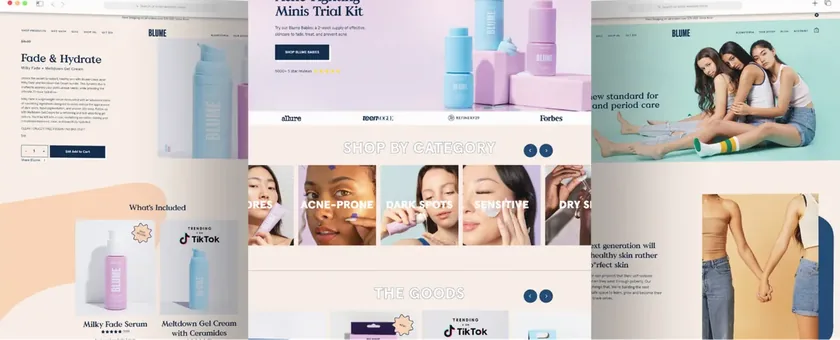
For a store with a younger audience and high traffic, as with the Shopify build we delivered for Blume, speed and navigation carry more weight than copy tweaks.
Migrations and international stores
- Crawl the old storeList every URL that earns clicks or links in Search Console and your analytics before touching anything.
- Map the redirectsMap each old URL to its closest new equivalent, one to one where possible. Upload the map before launch.
- Check hreflang for marketsIf you sell in several countries, confirm each market has its own URL and the language tags point at each other.
- Watch after launchCheck the indexing report and 404 list weekly for the first month and fix the gaps.
A downloadable copy of this checklist is meant to be offered on this page. For migration work, see Shopify SEO migration; for ongoing help, our Shopify SEO service.
Updated 20 November 2026
Questions, answered
Something else on your mind? Ask us directly or WhatsApp us. We reply within one working day.
Is Shopify good for SEO?
Do I need an SEO app?
Can I edit the robots file on Shopify?
How long does Shopify SEO take?
Should I use the blog?
Keep exploring
Shopify SEO services for stores on any theme
Shopify handles a lot of SEO basics for you, and creates a few problems of its own. We find which ones apply to your store and fix them in order.
PlatformShopify SEO migration: moving a store without losing search traffic
Moving to Shopify changes your URLs, your templates and your plumbing. Search traffic survives when every old address has a mapped new one and the…
ChecklistShopify launch checklist: what to do before and after you go live
Most stores that stumble on launch day did not have a design problem. They had a tax setting, a shipping zone or a tracking tag nobody tested. This…
See how Google and AI see your site.
A free SEO and AI visibility check with the top fixes, within one working day. No obligation.